
Project Officers and Project Coordinators have edit permission to their project contents. Navigate to your project page and click the “Edit”, action on top of the project page, to edit the project.
Edit Project contents
The Edit action opens the respective element edit form. In this case it’s the project form contents. The form is structured in tabs and includes both read-only and editable fields. Click on each tab title to expand it and access each tab fields.

The read-only fields are data coming from external sources and can’t be changed - In rare exceptions the JU Team can override the read-only fields after request if the external source values are not up to date.
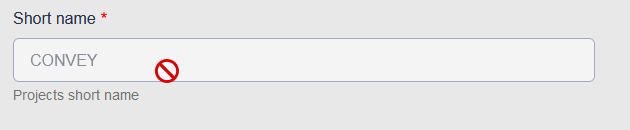
You can easily identify the read-only fields from the grey-out input style and the “forbidden” icon showing up when hovering over the input field.
The rest of the project’s fields can be edited from the user accounts which have the required project edit permissions. The Knowledge Hub platform is a repository for projects that offers additional platform related fields to edit. For example:
- Edit the project Keywords. It’s a multiple field to select the project related keywords and can be found at section “Project Classification” of the project form.
- Edit the Information for Posters: It’s a collection of text area fields used for the annual posters and can be found at the “Information for Posters” section.
- Select the Abstract text. There are 3 different external sources for the project’s abstract text from the a) Periodic Reporting b) CORDIS c) Proposal. A Project Officer user can select the most suiting Abstract source using the field “Abstract source selection” at the “Project overview” tab.
- Assign other user accounts to assist with the project management. A Project Officer can assign to a platform user one of the available assisting roles. For example, they can assign a “Project Coordinator”. The assigned user will automatically gain the respective permissions to the current project. Under the tab “Project Management” there are fields for the “Project Officer” and “Project Coordinator” to assign a platform user account to the respective project roles.