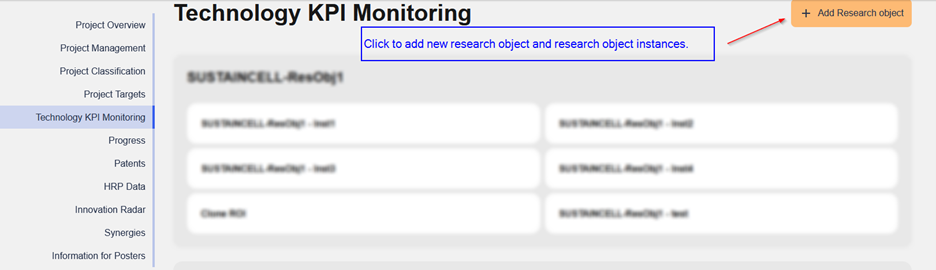
New research objects with the respective research objects instances can be created from the project page overview at “Technology KPI Monitoring” section. Click on the “Add Research object” button to open the form.
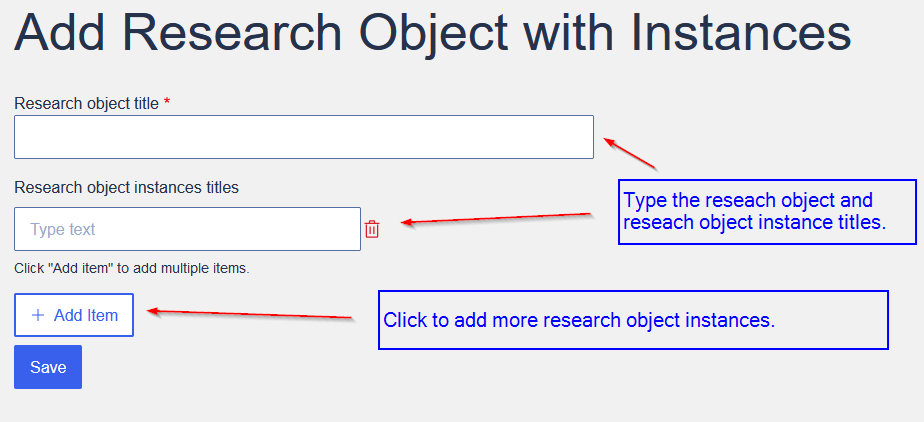
The following form will open to create your research object and research object instances. Type the titles for each entity or click the “Add item” to add more research objects instances if needed. Click at the “Save” button to submit the form.
There should be at least one research object instance for each research object.