
Some specific project roles have the permissions to assign other project roles to users. For example:
- The Project Officers can assign the Project Coordinator project and Beneficiary member roles.
- The Project Coordinators can assign the Beneficiary member roles.
The project roles are assigned by editing the Project page form while the Beneficiary members are assigned by editing the Research object page form. The respective fields and content pages that each project role can be assigned is shown at the following table.
| Role | Assigned at page | Field name | Assigned by: |
|---|---|---|---|
| Project Officer | Project | Project Management > Project Officer | JU |
| Project Coordinator | Project | Project Management > Project Coordinators | JU Project Officer |
| Beneficiaries | Research object instance | Beneficiary Members | JU Project Officer |
The roles mentioned above are assigned by adding a user account to the respective fields. For example, to assign a Project Coordinator, we need to edit the Project page form and locate the “Project Coordinator” field under the “Project Management” tab.
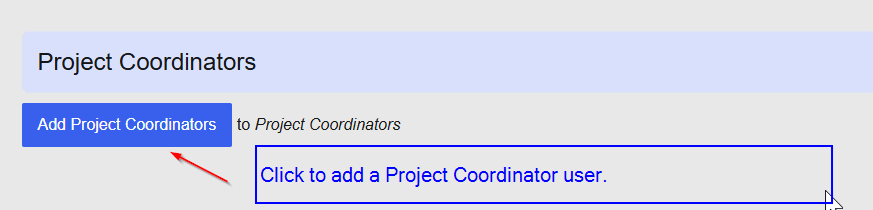
Click at the “Add Project Coordinators” button to open the form to add a user account as project coordinator.
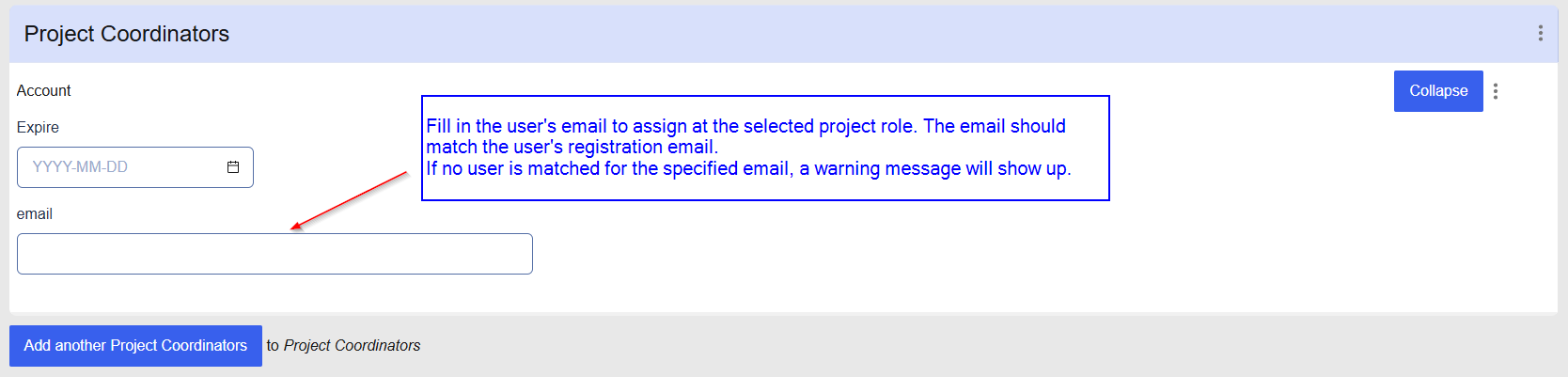
At this form you can assign a user role by filling the users email address. The email address should match the user's registration email. If no user is matched for the specified email, a warning message will show up when you "Save" the form.
Finally, click on the project form “Save” button to save your settings.