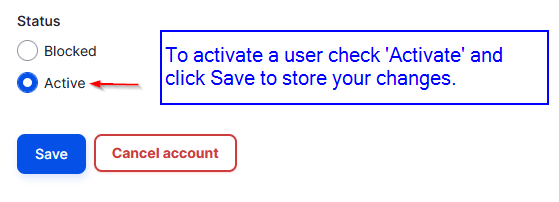
All registered users start as Blocked. This means that their account is ready but need an approval from a platform webmaster user to login. Once their account status is changed to Activated, they will receive a notification email informing them about the activation status change. A any point, active users can be blocked if needed to disable them from login the platform.
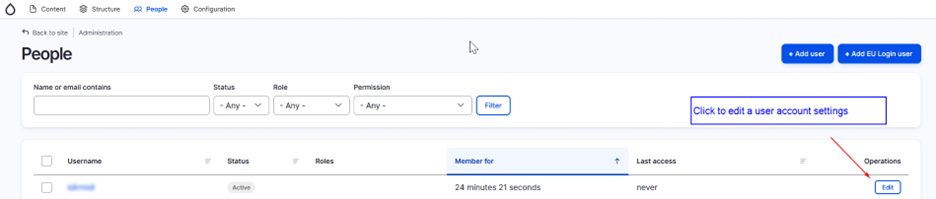
The JU user role has permissions the user’s list and change their status to Active or Blocked. This can be done by navigating to the administrator menu item “People”. Find a user by using the available search fields and click the “Edit” button to edit the user’s account settings.
At the bottom of the user account form you can find the Status field. Change the “Status” option to Activate to activate a user, or “Blocked” to block him accessing the platform.